VEMOS PAY

Enjoy every experience

View, split & pay your check, start & close bar tabs, join memberships, and access your personal awards.

Personalized. Simplified. Powerful. Free.
Picture
Picture

There's a better way.

Ever had an amazing night out, only to have it end with you stuck at the table—or waiting forever in a crowded bar line—just to pay the bill? Yeah, we’ve been there too. Which got us thinking: there has to be a better way.

Vemos Pay

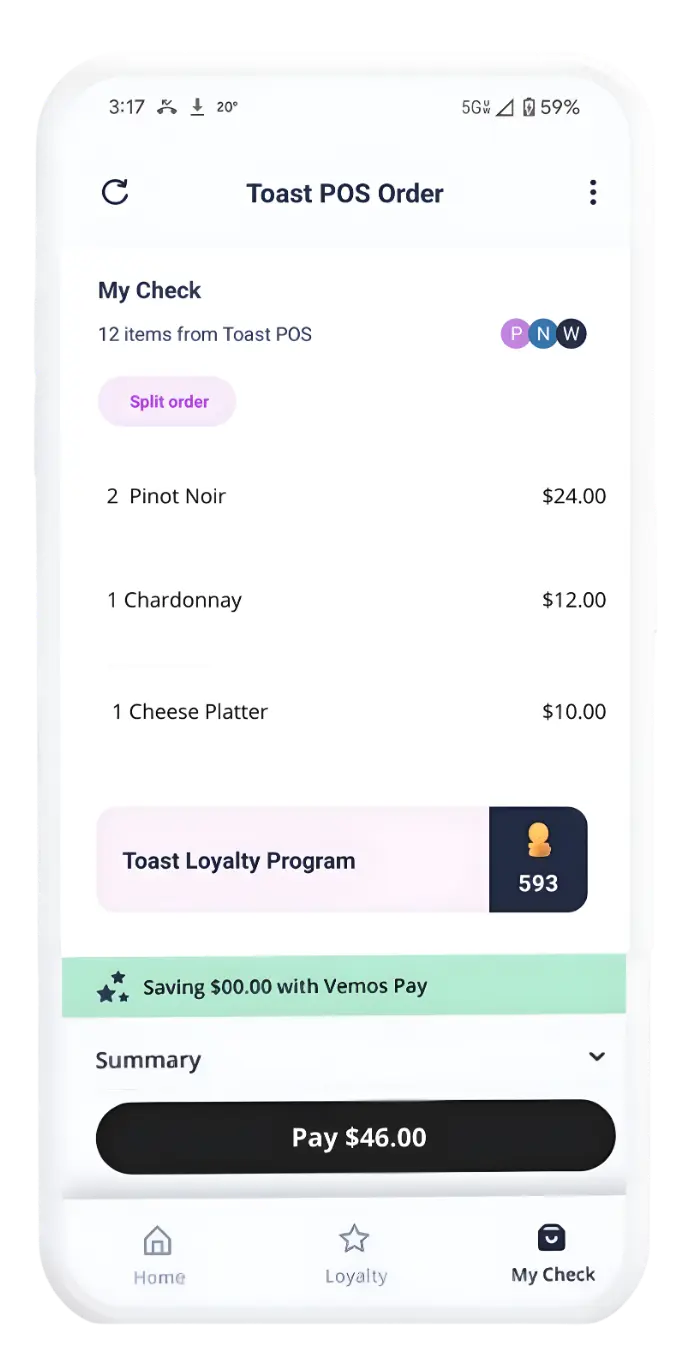
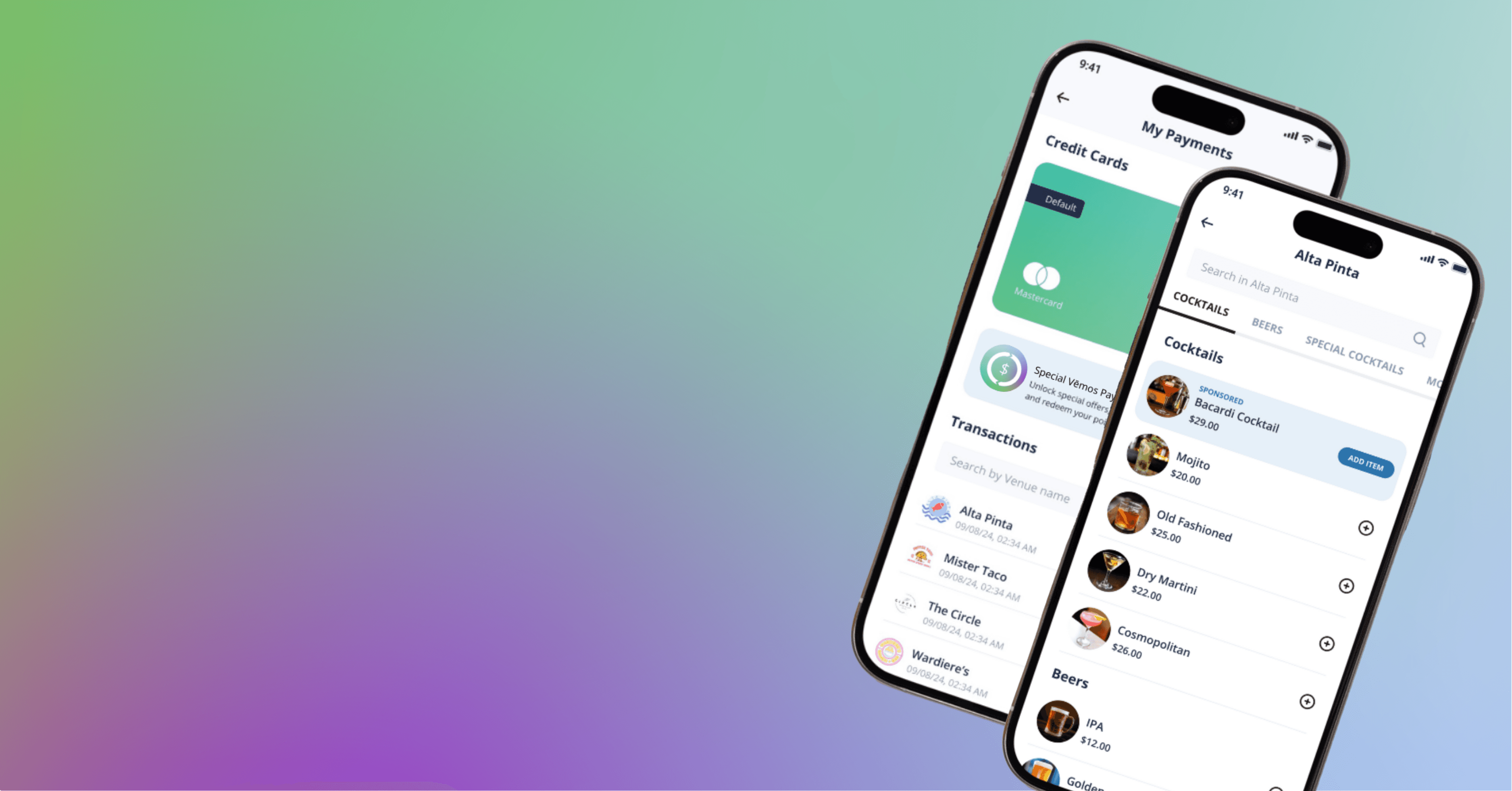
We're your universal hospitality wallet that allows you to start, manage, split, and close your check - no credit card handoffs, no waiting for a check, no awkward math. Better yet - you now have a destination to track your restaurant loyalty points, access personalized offers based on your tastes & habits, browse a filterable menu, and always see what's on your check before you pay. 
​
It's built for modern day experiences to give you faster service, a curated experience, and more control.

Ways to Use It


Start & Pay Your Bar Tabs

Open a tab from your phone in seconds - without ever handing over a card.
- Simply scan a QR code or tap one of our magic tokens at the venue to open your tab.

- Order like usual with the bartender, drop your name, and your set.

​- When the night's over? Either pay on your phone, or better yet, just walk out. Seriously. Your tab auto-closes -- like Uber but for your bar tab.
Picture
Picture

View, Split & Pay Your Check

This isn't just for bars. When you're out at at restaurant, you can check in on your check anytime.
- Order with your server just like you normally do

- Scan the table's QR code or tap the Magic Token to pull up the check assigned to that table.

- See your running total right from your phone, split the bill with friends, and pay whenever you're ready - no waiting for the server to hand you a bill first. 

Join Memberships + Get Rewarded 

Ditch the punch card and never miss a perk again.
- Join, track, and manage your membership & loyalty programs in one centralized place.

- Automatically apply your member benefits on your check, earn into high tiers, and see where you stand.

- Earn Coins for every dollar you spend, with boosts and offers tailored to your tastes & habits.
Picture
Picture

Order Items on a Running Tab
*at select locations only

At select locations, you can order and pay from anywhere in the venue - your tab follows you. Whether you're at the bar, the patio, or right up by the stage, just scan the location QR code to get your items sent to where you are and it'll all go on one running tab. You're free to roam, and we'll keep it all together.

Your Ultimate Hospitality Wallet


Picture

Catered to You

Content personalized to your tastes & habits, including filterable menus, personalized offers, and recommendations.

Picture

Full Transparency

Always see what's on your check throughout your experience. Never be surprised by an unexpected bill at the end.

Picture

Be in Control

​​Pay how you want, when you want. You're no longer at the mercy of staff noticing you need to pay.

Picture

Secure Payments

​Use Apple Pay, Google Pay, or securely store your credit card on your account for tokenized payments.

Frequently Asked Questions

Answers to our most frequently asked questions. For more technical support & tutorials, visit support.vemospay.com.
Is there a fee?
Nope, there are no added fees when you use Vēmos Pay. It's the same as if you hand your card over to the server, just with the added convenience of it never leaving your pocket.
Do I need to download the app?
You aren't required to download the app. Venues who accept Vēmos Pay will have QR codes and tokens, which will launch our appless experience for you to execute that transaction. 

If you join memberships and want more personalized, curated content, then you will want to download the app to always have access to your member cards, personalized benefits, and tailored content.
How do I split my check?
You can share your check link with friends and have them join it. From there, you can choose to split evenly or split by item.
What happens if I forget to pay?
Just like the ease of a rideshare, your check will automatically close with 20% gratuity. No more forgetting credit cards at the bar after a fun night out.
How do I update my Payment on File?
You will need to download the Vēmos Pay app to update your payment source on file. If you've been using the appless experience, then your payment sources have been either Apple Pay or Google Pay. To add or update a payment on file:
  1. ​Download or open the Vēmos Pay app
  2. Use your phone number to log in
  3. Click on your name in the upper left corner of the home screen
  4. Go to "My Payments" from the menu
  5. Click "Add new card" and enter your payment info
how do I access my membership cards
You will need to download the full Vēmos Pay app to access your membership cards. All of the memberships you sign up for will be managed / accessible in one centralized location.
  1. Download / open the full Vēmos Pay app
  2. Log in with your phone number
  3. Go to Memberships in the bottom toolbar
  4. Click inside the venue you want to access
  5. See all details & benefits of your membership
  6. ​Tap on the black circle card icon to access your member card. You can even save it to your wallet!

Available on iOS and Android

Picture
Picture
© 2025 VĒMOS, INC.
ACCEPT VĒMOS PAY
SECURITY STATEMENT
PRIVACY POLICY
TERMS & CONDITIONS
Learn about the Mile High Sports Extra Point program.